The External Participant Data Page can be accessed through the Admin drop from the top navigation.
External Participant Data allows you to filter participants using information collected outside of EthOS, such as income, gender, or country.
This page is empty by default. You can add external participant data in bulk through the upload feature on the Participant & User Management page, where a tutorial is available, or enter the data manually on this page.
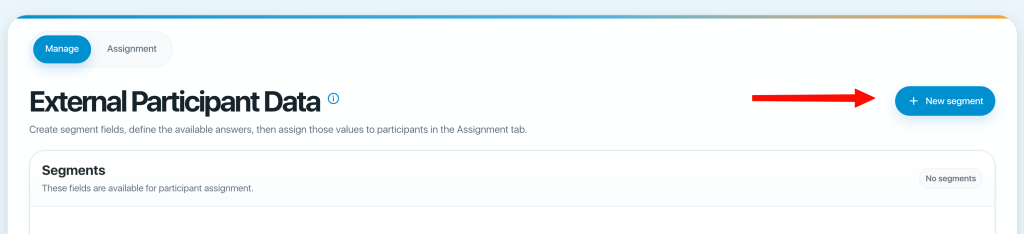
To add external participant data manually, first click the new +segment button.
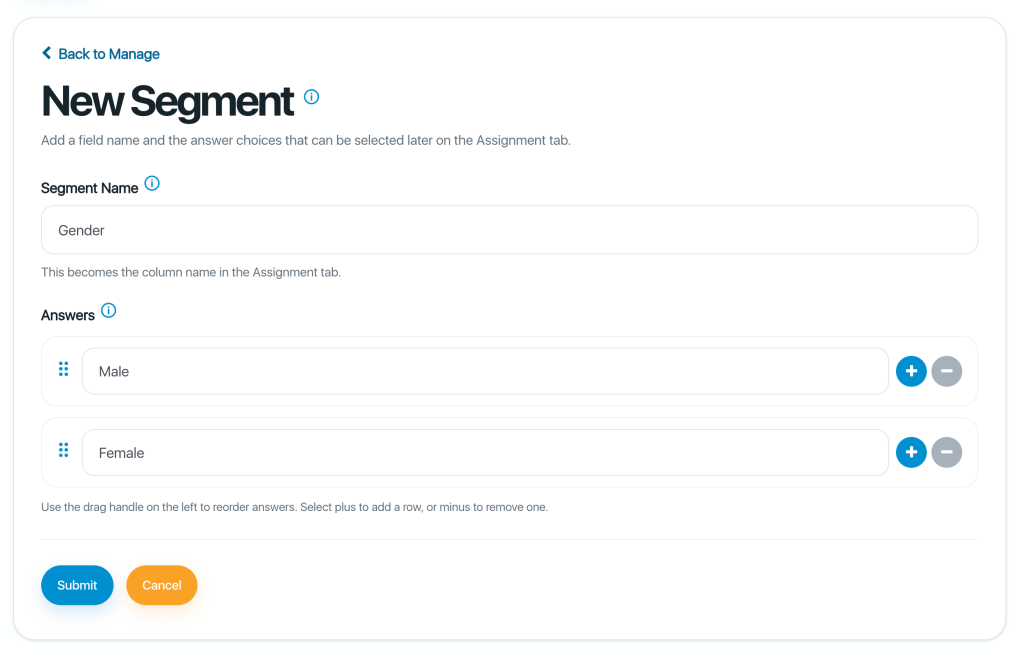
Next, enter a name for your segment, such as Gender.
Then add the answer options, for example:
Male
Female
Now that you have a segment created, you can start assigning answer options by clicking the Assignment tab.
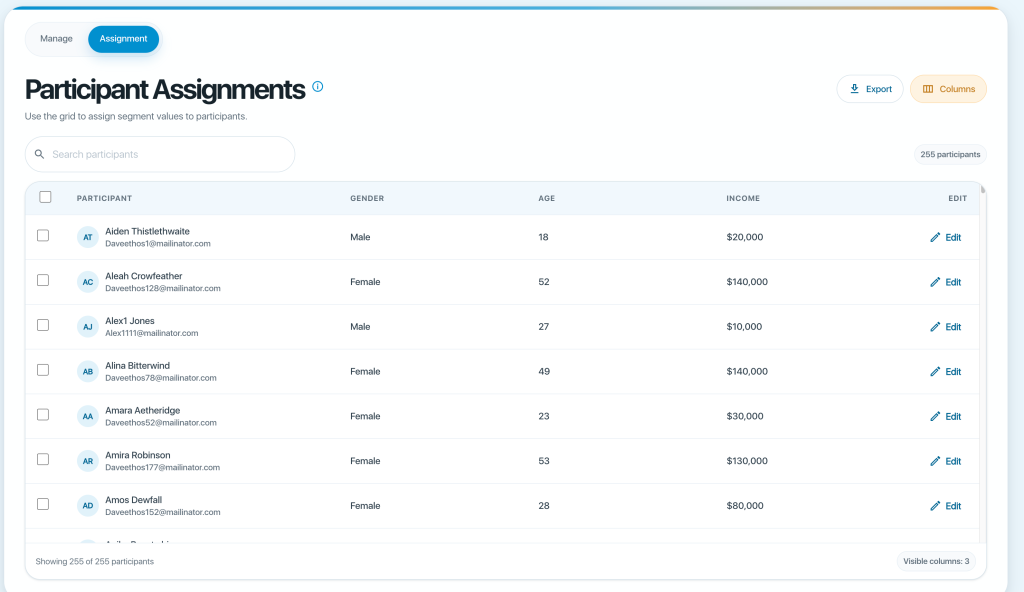
Use the check boxes to select one or more people. Once you check people you will get drop downs like in the shot below:
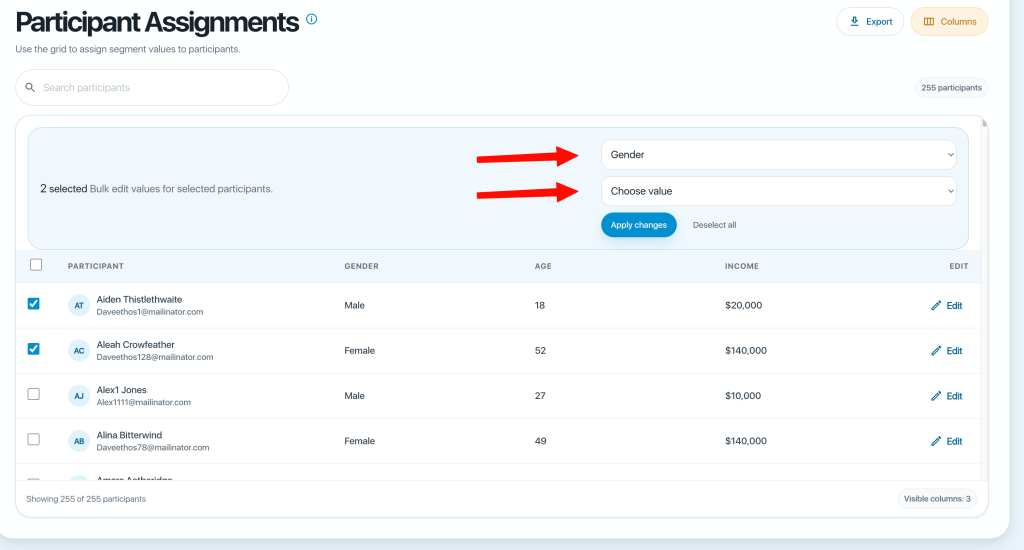
For example, to update two participant records to Male, select Male in the Choose Value field, then click Apply Changes.
You can also use this page to:
- Export the participant list as a CSV file using the Export button.
- Search for a specific participant using the search bar.
- Choose which columns are displayed using the Columns button.